





Connect your CDE. Gain control over your data.
Project data flow between CDE systems without manual work, without losses, without chaos. 14+ CDE including Trimble Connect, ACC, Bentley ProjectWise, Dalux and SharePoint.
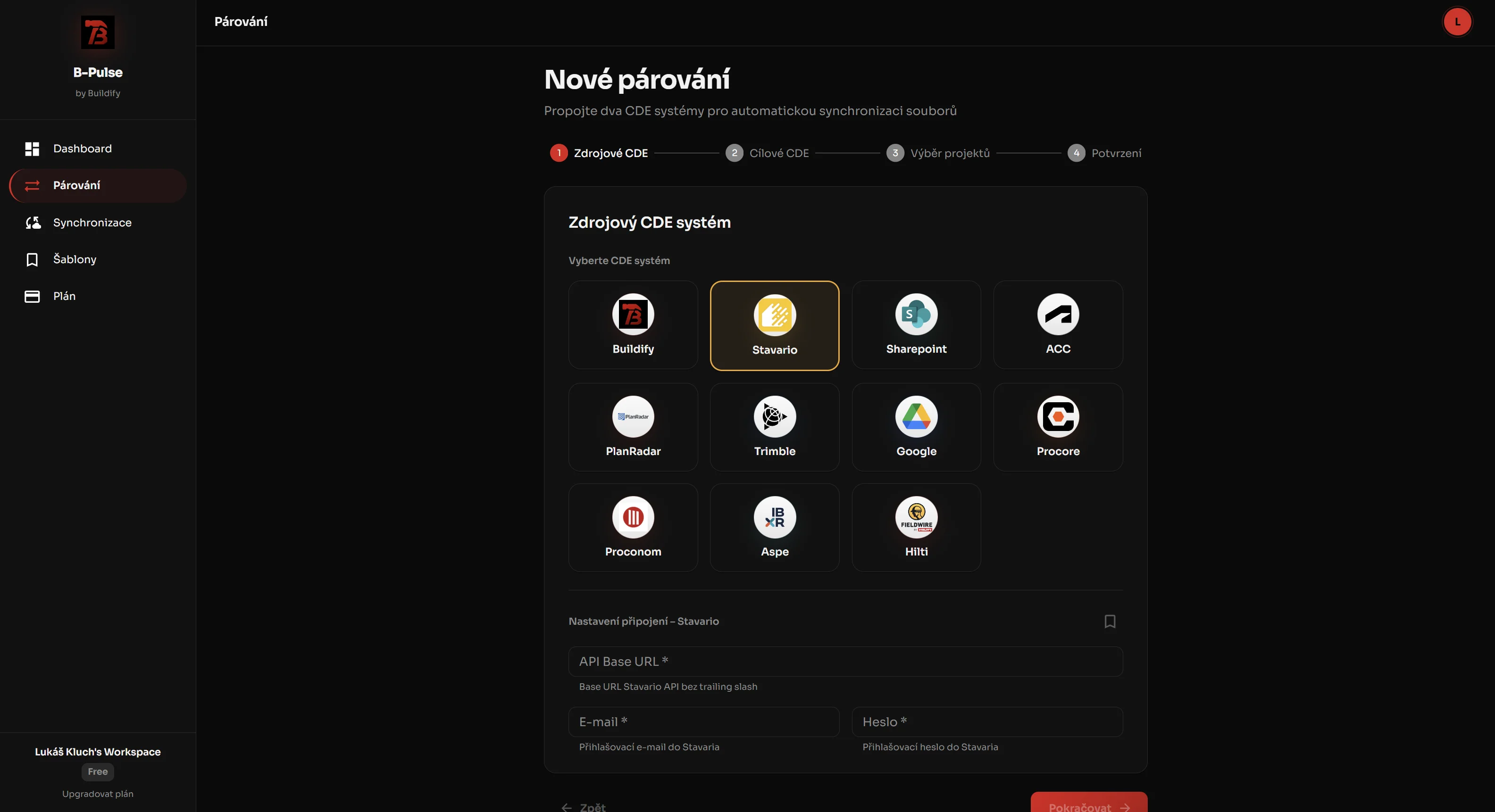
We connect 14+ CDE systems
Trimble Connect, Autodesk Construction Cloud, Bentley, SharePoint plus field tools like Dalux or PlanRadar. We keep extending the list based on customer needs.














CDE Connector for VINCI Construction CS
2.5 years in production: roughly a million files transferred, dozens of successful syncs every day, 4 CDE providers across some 40 projects.
Read
„Our projects run on several CDEs at once. For 2.5 years CDE Connector has kept the data aligned between them - no manual file forwarding, and a clear record of what went where.“
Jiří Šimon
BIM Manager, VINCI Construction CS
Zdeněk Čumpelík
BIM Manager, VINCI Construction CS
Construction projects run on multiple CDE systems
Data is fragmented, teams work separately and project reality splits into multiple versions.
Each participant has their own CDE system
Files are manually forwarded between CDE
Versioning between CDE is unclear
CDE coordination costs time and money
You don't control data. Data controls you.
bim-pulse connects your CDE systems
You define where data flows between data environments. And under what conditions.
The rest runs automatically. No manual work, with an audit trail for every transfer.
Key CDE Connector Features
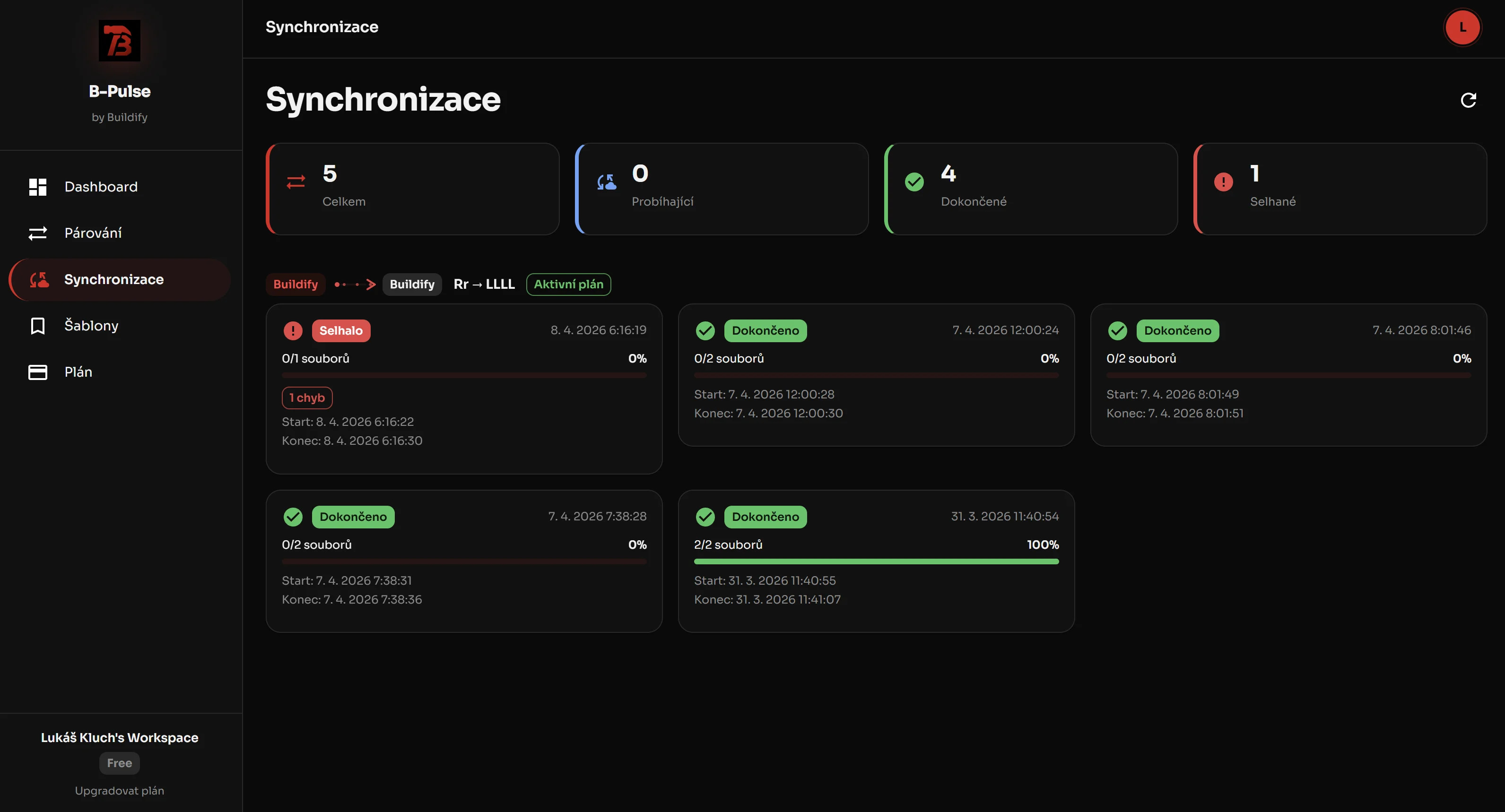
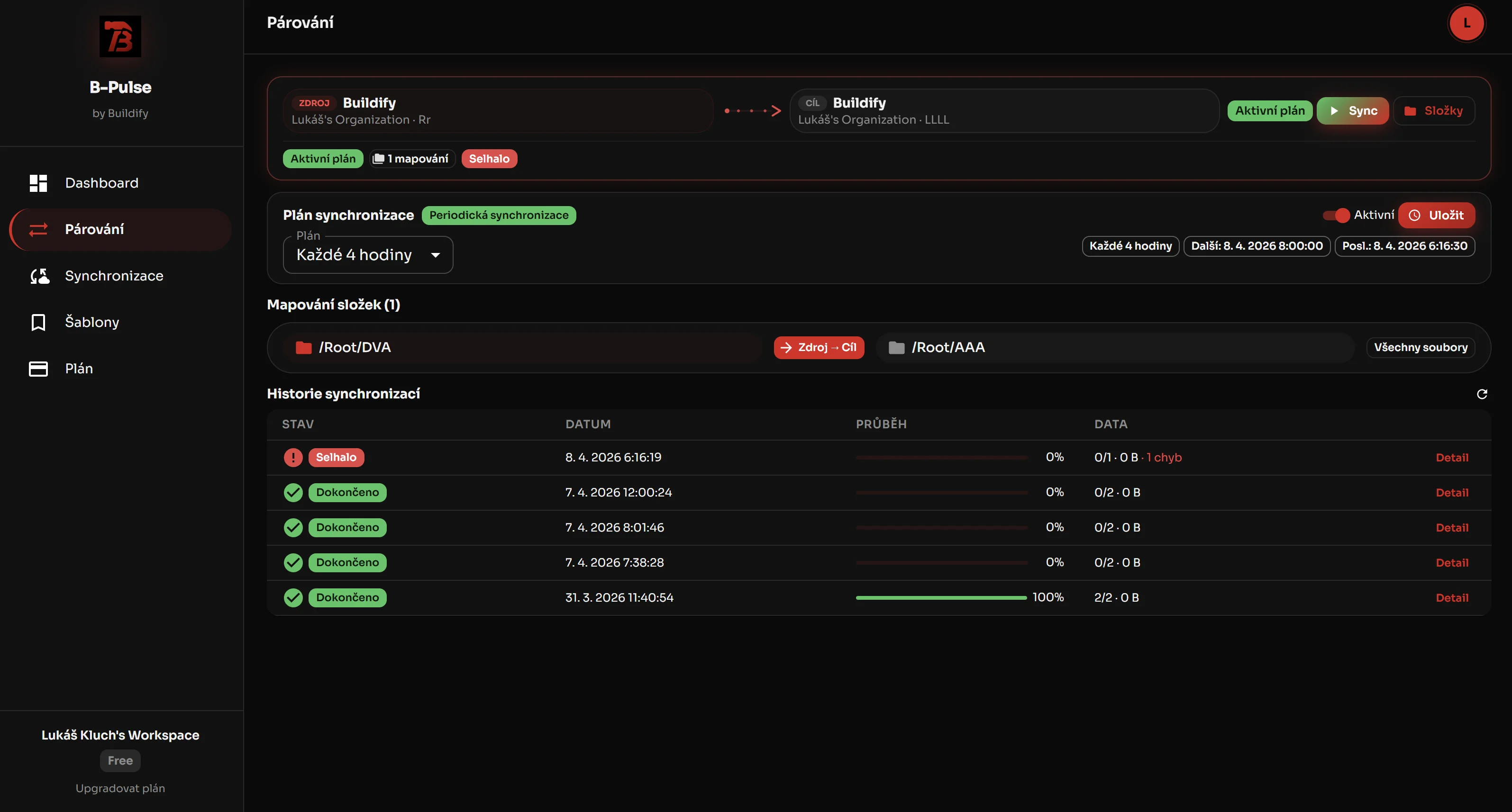
One-way and two-way CDE synchronization
You control what is the source of truth and where collaboration happens. Full data environment synchronization.
File type filtering
Transfer only relevant data - DWG, IFC, PDF, XLSX. No bloat.
Automatic CDE synchronization
No exports, no forwarding. bim-pulse checks for changes automatically on the schedule you choose - as often as once an hour on the Full plan.
CDE link visualization
Instantly see what's connected and how data flows between CDE systems.
Scalable CDE integration
From simple links to complex project structures with dozens of CDE connectors.
Trimble Connect ↔ Autodesk Construction Cloud
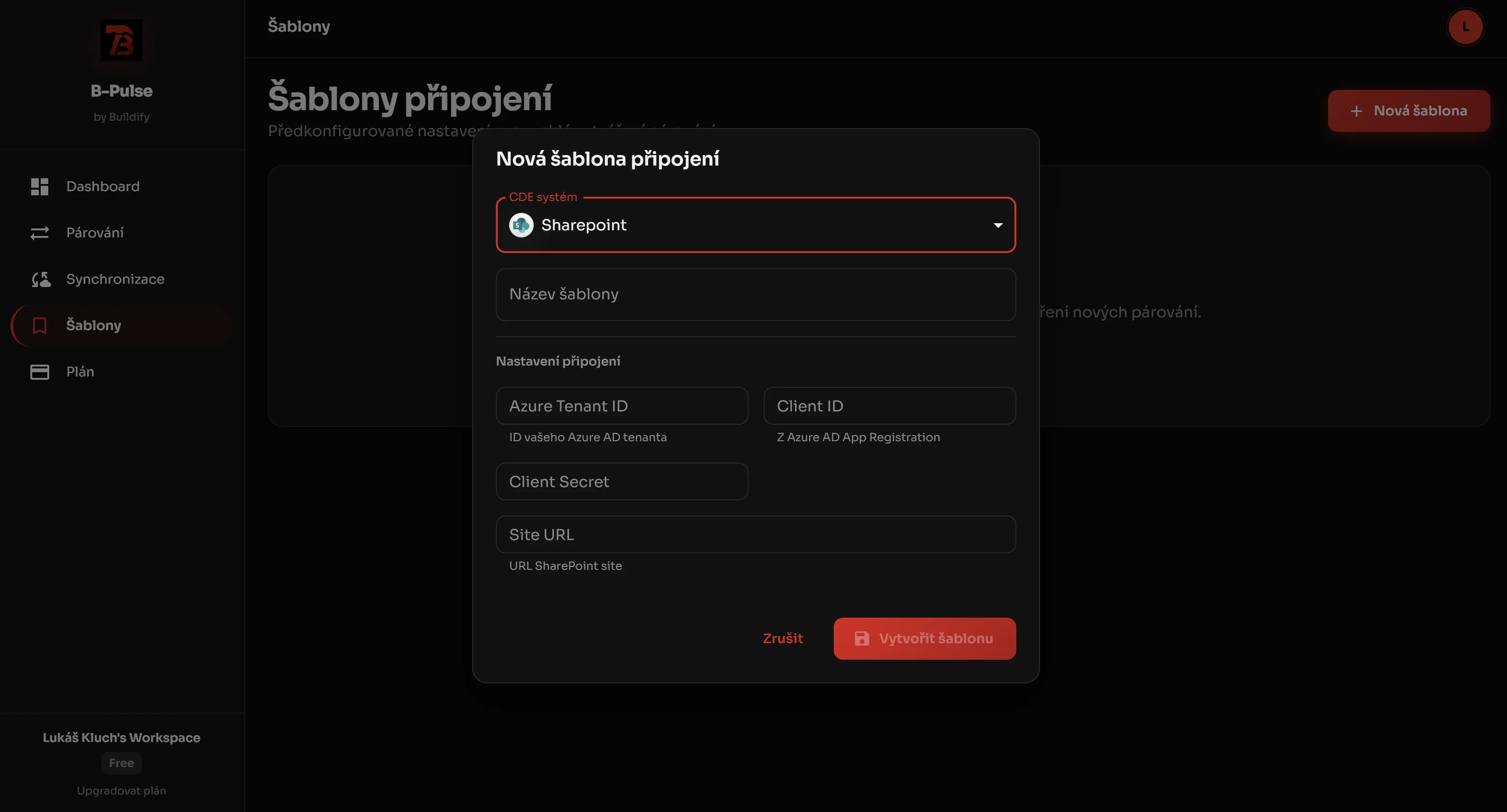
Example of CDE synchronization in a real project
Calculate your CDE Connector ROI
How much does manual data transfer between data environments cost you?
CDE Connector ROI Calculator
Set your parameters and see the savings
* Calculation assumes bim-pulse license at 436/mo and average error fix cost of 600.
Want a precise savings analysis of 16.848 for your company?
Less CDE coordination. More data control.
Version error elimination
Everyone works with current data in their CDE.
Faster team response
Changes propagate between CDE instantly.
Less manual work
No more forwarding files between data environments.
Lower project risk
Fewer errors mean fewer expensive problems.
Full data flow control
You know exactly where data goes between CDE.
Who is CDE Connector for
bim-pulse Pricing
Four plans, based on how many projects you connect and how often you need them in sync. Unlimited users on every plan.
bim-pulse synchronizes files between CDE systems: you pair a project in one CDE with a project in another, pick the folders, set the direction and the schedule. From then on bim-pulse compares size, date and hash, transfers only what differs, and logs everything.
Trial
Try a connection on a single project. Free forever, not a time-limited trial.
We are not registered for VAT - the prices shown are final.
- 1 project pairing
- 10 files per day
- 100 MB of transfers per day
- Scheduled sync once every 2 days
- Unlimited users
- Audit trail for every transfer
Light
For companies connecting a handful of projects that need data aligned a few times a day.
We are not registered for VAT - the prices shown are final.
- 10 project pairings
- 5,000 files per day
- 10 GB of transfers per day
- Scheduled sync every 8 hours
- 1 large folder structure
- Unlimited users
- Email support
Full
For operations where several teams work on the same projects and data has to stay aligned throughout the day.
We are not registered for VAT - the prices shown are final.
- Unlimited project pairings
- Unlimited files per day
- 100 GB of transfers per day
- Scheduled sync every hour
- 2 large folder structures
- Unlimited users
- Priority processing queue
- Priority support
Enterprise
For large project portfolios and operations that need dedicated capacity. Agreed individually.
We are not registered for VAT - the prices shown are final.
- Unlimited project pairings
- Capacities as agreed
- No limit on sync frequency
- Large structures as agreed
- Unlimited users
- Dedicated processing queue
- SLA and a dedicated contact
We bill monthly or annually, in CZK or EUR. Annual billing charges ten months - two are free.
Every plan includes unlimited users. You pay per organization, not per head.
The price reflects the computational cost of running it - on every pass bim-pulse walks and compares both sides of a pairing, even when nothing has changed. Every transfer is validated and recorded in the audit trail.
Detailed plan comparison
The complete picture of what each plan handles.
| Parameter | Trial | Light | Full★ | Enterprise |
|---|---|---|---|---|
| Price / month | Free forever | 439 € | 639 € | individual |
| Project pairings | 1 | 10 | unlimited | unlimited |
| Users | unlimited | unlimited | unlimited | unlimited |
| Files / day | 10 | 5,000 | unlimited | as agreed |
| Transfer volume / day | 100 MB | 10 GB | 100 GB | as agreed |
| Most frequent scheduled sync | every 2 days | every 8 hours | every hour | no limit |
| Large folder structures | 0 | 1 | 2 | as agreed |
| Processing queue | standard | standard | priority | dedicated |
| Support | - | priority | SLA + dedicated contact |
We are not registered for VAT - the prices shown are final.
Two things worth explaining
Sync frequency and large folder structures drive what the operation actually costs. That is why each has its own row in the pricing table.
How often projects are aligned
Light keeps projects aligned three times a day, Full every hour. If you need a shorter interval, that is part of Enterprise.
This is not a technical barrier but the cost of running it: an hourly pass over the same project costs eight times what an eight-hour pass costs, because both sides have to be walked and compared every time - even when almost nothing has changed.
Large folder structures
Most projects are not affected. But if you synchronize the root of a large project with hundreds of thousands of files, it counts as a large structure - Light handles one, Full handles two. Anything beyond that we handle in Enterprise, because that kind of operation needs dedicated capacity.
Typically this is the case when you pair the root of a project with tens of thousands of folders. A single pass then takes hours even when nothing has changed, because everything has to be compared.
The other parameters measure transferred data. A large structure transfers no data at all and still consumes the most compute time. That is why it gets its own row.
Not sure whether your project falls into this category?
Write to us and we will check it together against your actual structure.
Enterprise is agreed in person
Enterprise cannot be bought online. Every operation of this size has different projects, different volumes and different capacity needs - so we start with a conversation, not a payment gateway.
- Unlimited project pairings, with capacities set to match your portfolio
- No limit on synchronization frequency
- A dedicated processing queue - your projects never wait behind anyone else's
- An SLA and a dedicated contact on our side
We are not registered for VAT - the prices shown are final.
Book a meetingThe figure shown is an entry price. We will prepare a specific quote based on the scope of your portfolio.
One link in the chain. The whole data flow.
BIM Harness designs the building, Conexium manages it, bim-pulse delivers it to your partners. Each product works on its own - together they form one data flow from the first sentence to the site.
A connector that links every partner’s CDE.
Frequently asked questions about CDE Connector
Didn't find an answer? Write to us.
Stop forwarding files between CDE. Start managing data.
CDE Connector bim-pulse handles it for you.
Let's schedule a meeting
We'll reply within 24 hours. No commitment.